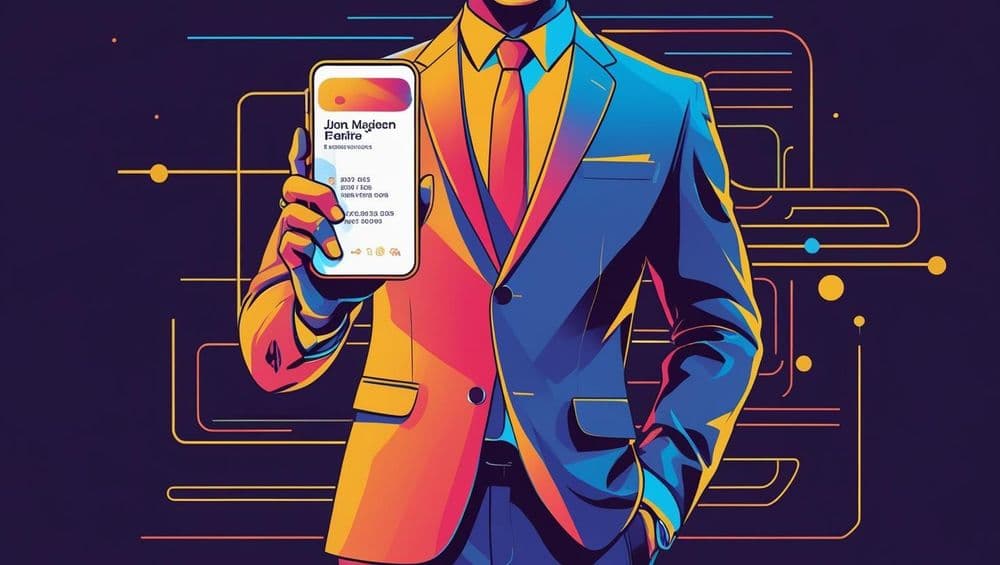
Not so long ago, when many professionals were still skeptical about networking sites, business cards served two uses – one functional, to keep your details handy for your business associates or clients, and the other is a subtle showcase of your taste, from the layout to the font, colour, and texture of the substrate, everything was impressionable on a business card and had the potential to add a memorable keepsake.
Fast forward to the digital age. Many professionals think physical business cards should have been retired as relics of the past, alongside the fax machine and typewriters (and they’re not wrong!)
Some believe that if you know the person and the company they work for, you can find them on LinkedIn.
Others continue to engage in the awkward “Can I have your number?” conversation.
Then there are the smart, tech-savvy professionals who’ve discovered the best of both worlds: the digital business card.
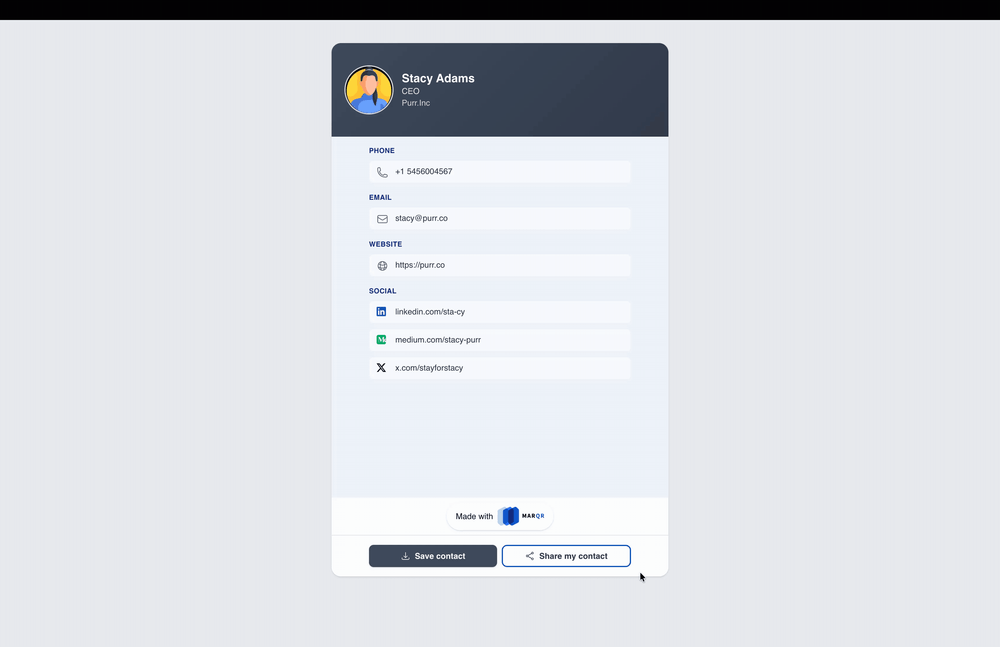
The digital business card or a digital contact card is a modern adaptation of the age-old paper business card or a digital substitute that also neatly ties in your digital profile across networking sites, portfolio, along with your digits.
Why switch from Paper Business Cards to Digital?
Digital contact cards help you seamlessly move from Forgotten to functional because:
1. Instant sharing:
Simply scan a QR code or tap a link from your wallet to not only add your contact to their digital phone book, or share their contacts with you as a lead form. So the next time you call them, you can skip the stiff introductions because your contact is already saved on their phone.
2. Off-the grid Accessibility:
Whether you meet potential clients on a flight or get stuck on a remote location without the internet, you can still share your contact card by creating a wallet pass on Marqr.
3. Expanded digital real-estate:
Go beyond your static 3.5”x 2” cards and include links to your portfolio, payments links, calendars, social profiles, and more. Don’t let your contacts get redirected to competing sites because they googled your company instead of clicking on a link.
4. Real-time Updates:
Whether it's a role upgrade, company change or additions to your portfolio, you only need to update your Contact Card on Marqr, and it’ll instantly update your Apple Wallet Pass without having to go through the drudgery of adding another pass to your wallet.
5. Engagement analytics:
Get the whole picture of how and where your cards are getting scanned. Additionally, you can go beyond individual card or campaign analytics and get folder analytics which provides a 360-degree analytics of all your related campaigns.
Elements of a good, better, and great digital business card
The key differentiator between a good, better, and great digital business card lies in how effectively it combines functionality, personalization, and adaptability.
What makes a good digital business card?
At the very least, a good business card must be functional and free of technical troubles such as inability to scan.
At the most basic level, you shouldn’t underestimate the power of a clean layout, legible text, and the ability to add essential information such as name, phone number, email, company name, and job title. A good digital business card replicates the function of the physical card.
What makes a better digital business card?
Building on this foundation, a better digital business card introduces rich personalization and branding such as including professional headshots, company logo, and allow for advanced customizations of brand colours and typography.
At this level the card is not only functional in providing the ability to share information, but also paints a visually engaging and brand-first representation.
What makes a great digital business card?
Beyond the functionality and aesthetics, great digital business cards –also known as dynamic business cards– are intelligent and versatile.
In other words, a great business card:
- Allows you to update the information in real-time without reprinting the QR code on your contact card, email signature, digital order forms, or other customer-facing collateral.
- Provides advanced features such as Scan analytics, so that you can track how often your card is viewed or shared, helping you measure engagement.
- Integrates seamlessly with a digital wallet, such as Apple wallet to enable offline sharing even when you’re off the grid, in a dingy conference hall without connectivity or 30,000 feet above sea level
In short, while a good card works, a better card represents, and a great card adapts and performs—anytime, anywhere.
How to Create a Digital Business Card for Free
Getting started is surprisingly easy. Most digital business card platforms provide business cards with QR code free as part of their entry plans. TBQR makes it especially intuitive with a simple, step-by-step process that takes less than five minutes. Here’s how to set yours up:
1. Sign up for Free
Head over to TBQR and sign up for a free account. Once you’re in, you’ll see a clean dashboard with your Active QR Codes section.
Click the Create your first campaign from the Quick Start section.
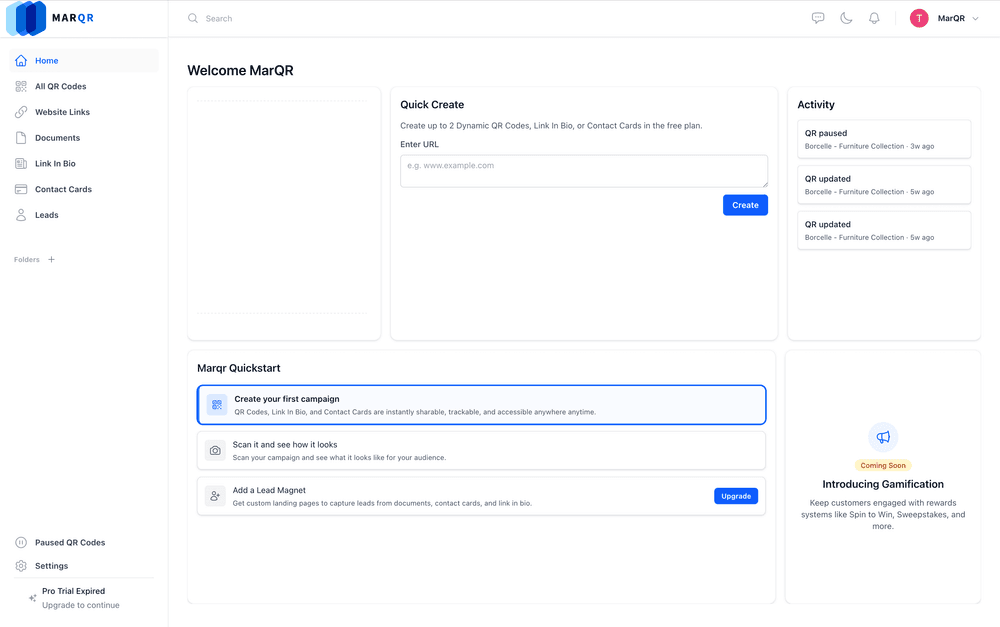
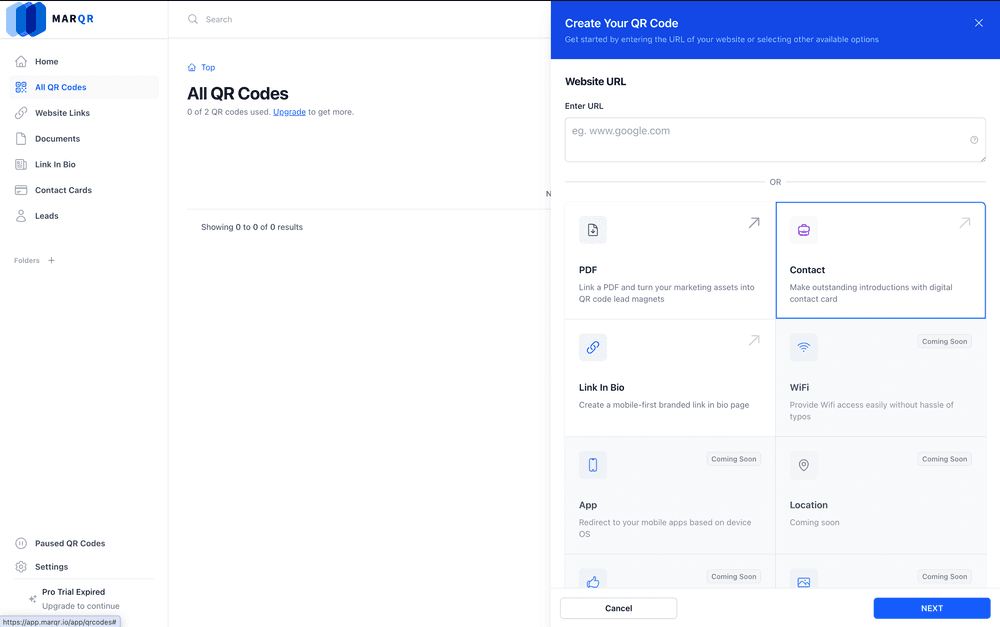
Select Contact Card from the side panel and click Next
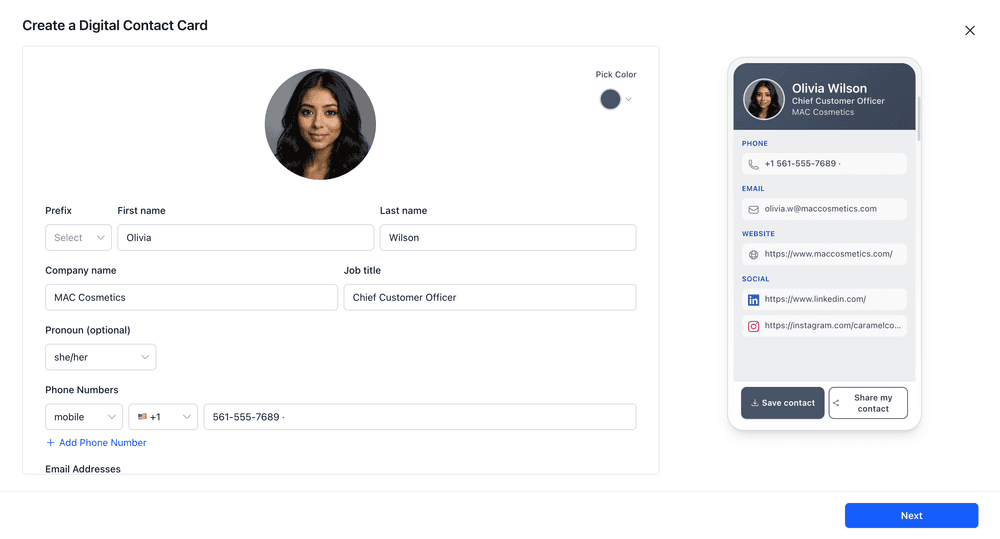
2. Enter Your Contact Details
Next, you’ll create your Digital Contact Card. This is where you add your:
- Name and job title
- Company name
- Pronouns (optional)
- Phone numbers and email addresses
- Website and social profiles
On the right, you’ll see a live preview of how your digital business card with QR code will look on someone’s phone.
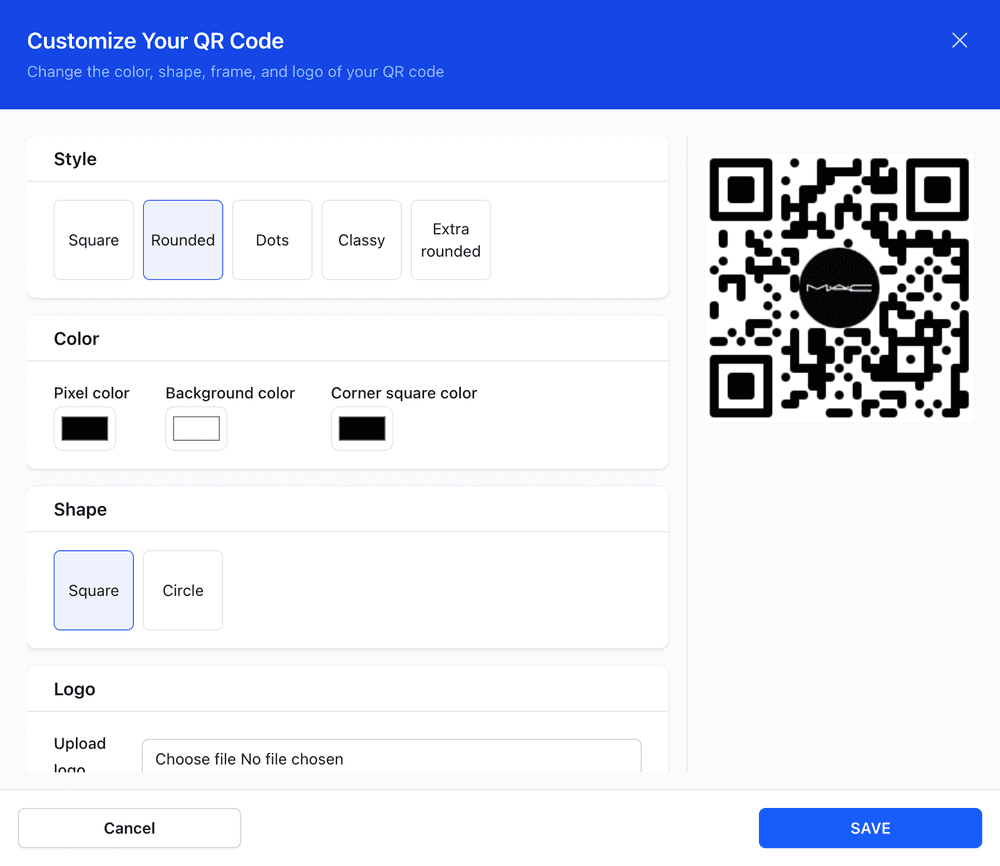
3. Customize Your QR Code
Here’s where the creativity kicks in. TBQR lets you:
- Pick styles (square, rounded, dots, classy, extra rounded)
- Adjust pixel and background colors
- Add your company logo inside the QR code
- Choose shapes like square or circle
This makes your digital card both professional and business cards inspo-worthy.
4. Save and Share
Once you’re happy, hit Save. Now you can share your card in multiple ways:
- As a scannable QR code (print or digital)
- With a link you can embed in emails, LinkedIn, or presentations
And just like that, you’ve created a professional card — for free.
👉 Pro tip: For founders, consultants, and creators, you can create tailored variations for clients, partners, or networking.
5 Use Cases for Digital Business Cards
Digital business cards are versatile sales and marketing vehicles that go far beyond simply sharing contact details. They adapt to different professions and workflows, making networking more efficient, engaging, and measurable.
Realtors
For real estate professionals, a digital business card can double as a live project portfolio. Instead of saying, “I’ll email you the listing,” realtors can instantly showcase property photos, videos, brochures, and location links on the spot. This creates a more immersive experience for potential buyers and shortens the decision-making cycle by delivering information in real time.
Consultants
Independent consultants often rely on personal connections and memorable interactions. A digital business card ensures that the conversation doesn’t end at the coffee table. By including links to case studies, testimonials, and service offerings, consultants can reinforce their expertise and make it easy for prospects to revisit their work long after the meeting.
Founders driving sales
In early-stage startups, every interaction is an opportunity to pitch. Digital business cards—especially dynamic cards—remove friction from this process. Founders can instantly direct potential customers, investors, or partners to product demos, landing pages, or pitch decks. This immediacy helps maintain momentum and increases the likelihood of conversion.
Creators
For content creators and influencers, a digital business card acts as a centralized hub for their online presence. Instead of juggling multiple links, they can share one card that connects to their contact details, link-in-bio, appointment booking calendar, etc. This streamlined access makes it easier for prospective clients to engage, collaborate, and transact.
Enterprise teams
Large organizations benefit from digital business cards by maintaining brand consistency at scale. Companies can issue standardized cards to employees, ensuring that logos, colours, and messaging remain uniform across departments and regions. At the same time, employees can personalize key details, while organizations retain control and visibility—often through analytics that track usage and engagement.
The Future of Professional Identity
The move from paper to digital is more than a technological upgrade. It’s a cultural shift. Business cards are no longer just about giving someone your number. They’re about granting someone access—whether to your calendar, your product, or your story.
For centuries, the card was the key to the Rolodex. Today, the QR code is the key to the networked self. And while the medium may change, the rite of passage remains. To hand someone your card—digital or otherwise—is to declare, in the simplest way possible: Here I am. This is what I do. Let’s stay in touch.
Conclusion
If you are still treating contact sharing as a one-way exchange, you might be leaving value on the table. Traditional networking relies too heavily on memory and manual follow-ups, which is precisely where most opportunities fade.
In our deep dive on How to Collect Emails Without a Website, we explore how Marqr turns a simple card exchange into a two-way interaction, one that not only shares your details but captures theirs in return, automatically and seamlessly.
Whether you're a founder, consultant, or salesperson, this subtle shift transforms networking into a high-intent lead capture channel, without adding friction.