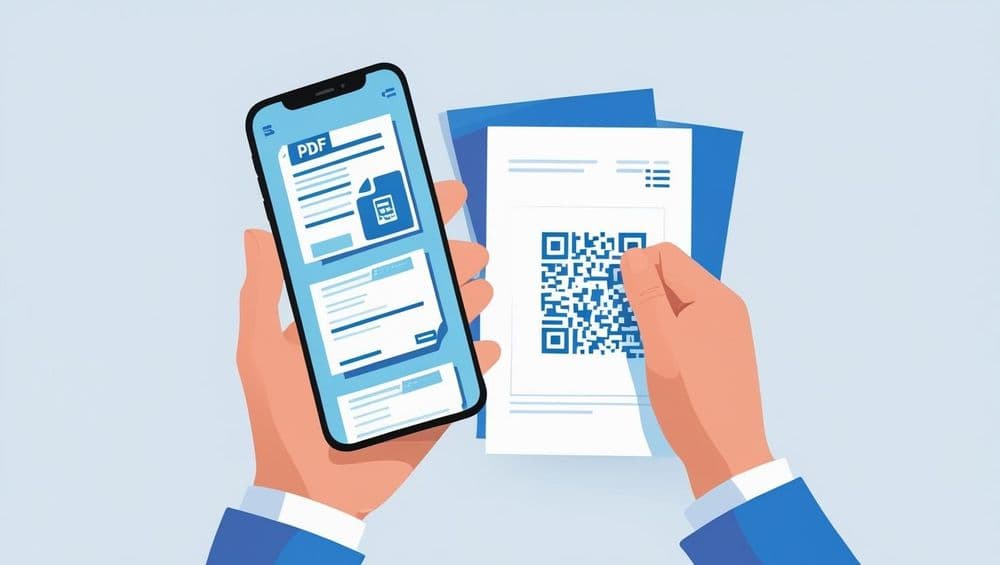
In the early 1990s, as computers spread across offices and operating systems multiplied, a persistent problem emerged. A file created on one machine often appeared distorted on another: fonts changed, layouts broke, and the graphics shifted.
John Warnock, co-founder of Adobe, had an idea: his solution was a universal format that would preserve the design and formatting regardless of device, software, or OS. In other words, he created the portable document format, popularly known as the PDF, which quickly became the gold standard for reliable document sharing.
PDFs became ubiquitous, and rightfully so. It is universal, reliable, and travels easily across inboxes, web Apps, and printers with identical fidelity.
However, the elephant in the room is that, for something that is so central to business communication—handbooks, catalogs, reports, manuals, menus, portfolios—the PDF remains stubbornly static in a world that rarely believes in finality.
Adding QR codes or Dynamic Links to PDFs changes that dynamic.
When embedded into PDFs—or used as gateways to them—Dynamic QR Codes transform documents from inert files into responsive, trackable, and adaptable assets.
With Dynamic QR codes, a PDF handbook becomes a living resource, a product catalog becomes a top-of-the-funnel asset, and a downloadable research report becomes a lead magnet. What once lived as a static document begins to behave like a living, breathing system.
This becomes a structural shift in a business environment that values accessibility, feedback, and adaptability.
Before we explore the practical applications, it helps to understand why QR-enabled PDFs matter in the first place.
4 Reasons to Implement QR Codes in PDFs
1) Go from guesswork to insight with Scan Analytics
For decades, businesses have distributed PDFs with a deep-seated faith in their utility: simply attach a file or share a link and hope it lands. But hope is not a strategy!
Traditional PDFs offer no visibility on whether your marketing guide is being circulated widely, or vanishing into unopened inboxes. Without activity trails or intent signals from prospects, which QR codes introduce, there’s no narrative.
Each scan provides intelligence on:
- Which campaigns drive engagement
- When your content is accessed
- Where it is accessed from
- How often it is revisited
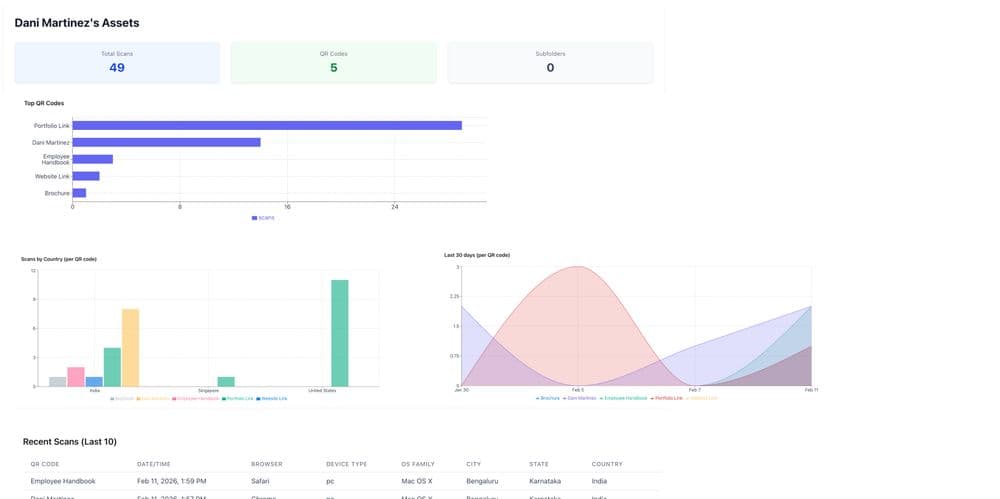
And just like that, a static document beams to life with a pulse. Marketing can measure which channels drive interest; Sales folks can see which materials resonate with prospects; HR can track onboarding engagement; Operations can evaluate knowledge adoption.
The PDF ceases to be a shot in the dark and instead becomes an instrumented channel with night vision. Once you can measure engagement, you can improve it.
2) Let your documents evolve with Dynamic QR Codes
If there is a defining flaw in the traditional PDF, it is its permanence. Once distributed, it calcifies. Any updates whatsoever renders documents that have already been distributed inaccurate, obsolete, or even outright misleading.
Dynamic QR codes rewrite this pattern as the code remains unchanged, while the content underneath it stays current.
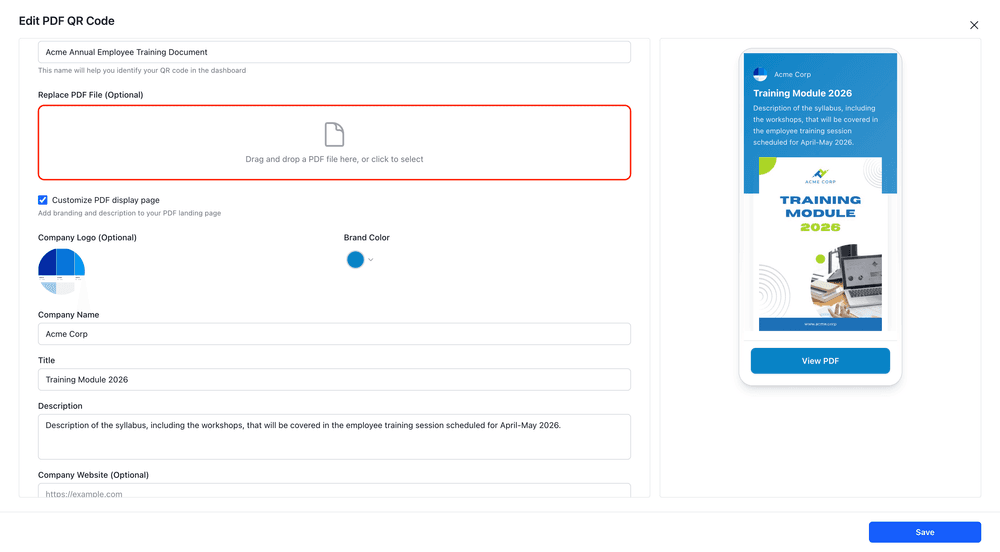
You can replace the outdated document with the most recently updated one, and voila, your content is automatically refreshed across all distribution points.
It is a subtle but profound shift—from document management to content stewardship.
Instead of chasing outdated files, you maintain a single, living source of truth.
3) Turn Downloadables Into Lead Magnets
Many organizations invest enormous energy in producing PDFs—whitepapers, 1-pagers, guides, catalogs—yet treat them as passive assets.
They inform. They educate. But they rarely convert.
QR codes introduce the possibility of intent capture.
A downloadable resource can:
- Route through a branded landing page
- Capture a name and contact information
- Segment users by interest
- Trigger follow-up journeys
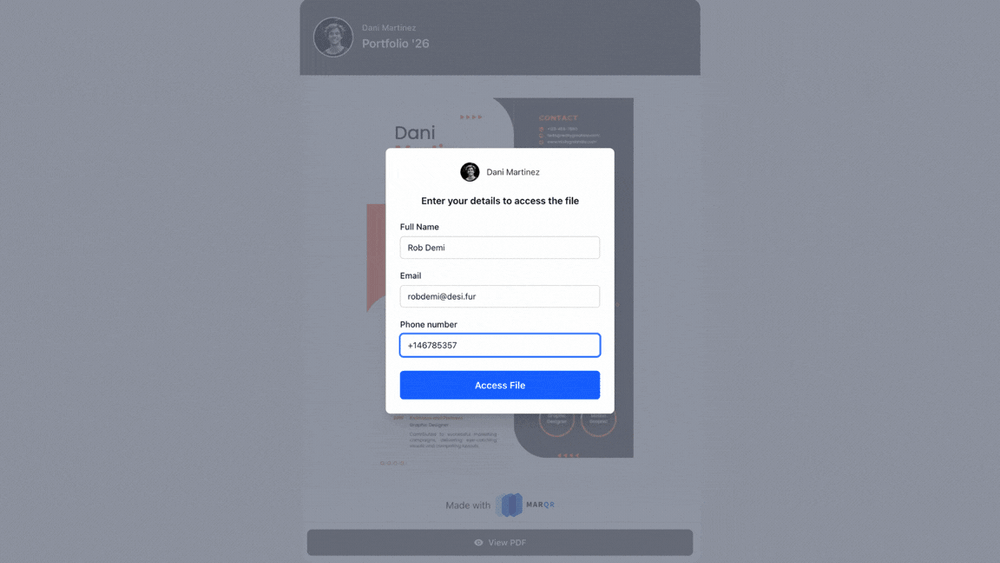
This transforms the nature of the PDF. It is no longer a static resource; it becomes an exchange. The reader receives insight. The business gains intent signals.
And in a digital economy defined by attention, engagement is gold.
4) Branded Landing Pages for PDFs
The experience of accessing most PDFs is strikingly unceremonious. A link opens. A file appears. The interaction ends before it begins.
QR codes allow for a more deliberate entry point.
Users can be guided through a branded interface:
- Context-setting messaging
- Clear value propositions
- Calls to action
The PDF becomes part of a journey rather than a detached artifact.
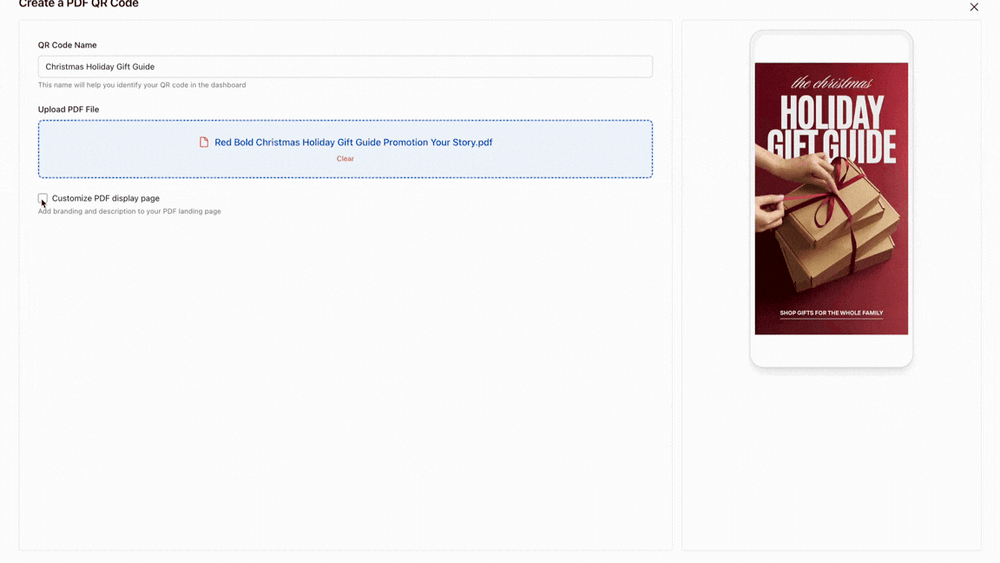
For brands—especially those operating in consulting, SaaS, hospitality, or professional services—this shift signals intention. It communicates that every touchpoint matters.
The document feels less like an attachment and more like an experience.
Click the link to learn how to generate a QR Code for a PDF and share documents instantly.
3 Game-Changing Ways to Turn Boring PDFs Into Branded Business Collateral
The promise of QR codes is not theoretical. It unfolds in everyday business documents that are produced routinely, distributed widely, and often overlooked.
Here is where the transformation becomes tangible.
1) Handbooks and Instruction Manuals
From employee onboarding to customer onboarding, every team relies on business literature to simplify processes, manage expectations, and drive value. Almost every gadget, web application, and business communication comes with a standard operating procedure that needs to be learned. However, this literature is often a document that was hurriedly created at inception and stays frozen in time.
The real headache starts when you realize those links are already out in the world, printed on your product packaging as QR codes or baked into your automated "Welcome" emails.
Recall and redistribution becomes a problem especially if these links are embedded on your packaging as scannable CTA QRs or clickable links on customer emails.
With Marqr, you never have to write the “please find the revised document” email again.
You can simply replace the current version of your document, and all your distributed links will get automatically refreshed.
Where it works best:
- User onboarding or setup instructions: Software moves faster than printing presses. When your UI updates, your manual should too. Marqr lets users scan the same box they’ve always had and still land on the most current instructions.
- Employee Handbook: Most companies ship a "Welcome Kit" to new hires with a physical Culture Card. But when your health insurance or 401(k) provider changes in January, those cards usually become trash. With Marqr, you just swap the PDF on the backend, and the kit sitting in your IT closet stays 100% accurate.
- Recurring events & Conferences: High-stakes events like a yearly Sales Kickoff or a Tech Summit have a long shelf life. Usually, the QR codes on last year’s lanyards or the links in old "Save the Date" emails lead to dead ends or outdated schedules. With Marqr, that link becomes a permanent asset. During the event, it’s the live PDF program. Once the doors close, you swap it for next year’s "Early Bird" brochure or a highlight reel. Your physical signage and old email blasts stay useful year-round, funneling past attendees directly into your upcoming content.
2) Product and Service Catalogs
Sales teams and retail partners depend on catalogs to move inventory and quote services accurately. The problem is that pricing, seasonal availability, and SKU lists shift constantly. If you’ve sent out a "2026 Product Guide" as a PDF attachment or printed a QR code on a showroom display, that information starts decaying the moment it's shared.
When a core product is discontinued or a price increases, you’re stuck with a "Recall and Redistribute" nightmare. You either have to hunt down every digital copy sent to clients or trash your expensive physical displays.
Marqr keeps your inventory and your links in sync.
Instead of re-sending a "New Pricing" blast every quarter, your permanent catalog link stays live. When your lineup changes, you just swap the PDF. Your sales reps can confidently point to the same QR code in the field, and your customers always see the current price list—never a "legacy" document with yesterday’s rates.
Where it works best:
- Wholesale & B2B Price Lists: Prices for raw materials and shipping fluctuate constantly. Instead of emailing a new spreadsheet every month—which inevitably gets lost in a buyer's inbox—provide one permanent Marqr link. Your customers always see the current rates, and your sales team never has to apologize for an "outdated" quote.
- Showroom & Retail Displays: High-end showrooms often use QR codes on floor samples to show "Available Colors" or "Technical Specs." If a specific model is discontinued, you don't need to scrap the display or stick a "Not Available" label over it. Simply swap the PDF in the backend to feature the successor model or the updated collection.
- Seasonal Service Catalogs: For service-based businesses like spas, landscaping, or salons, the service offering changes with the season. Instead of re-printing table tents or updating the link in your Instagram bio every three months, use a permanent "Current Offerings" link. You can transition from "Spring Specials" to "Summer Packages" instantly without ever touching the URL.
3) Resume and Portfolio for Professional Services
For independent consultants, creatives, and specialized firms, your resume or portfolio is your primary sales engine. The problem is that a professional profile is never truly "finished." You finish a massive project, update your rates, or gain a new certification, but by then, your old PDF is already sitting in dozens of clients' inboxes, buried in email threads from six months ago.
When your dream client finally clicks the portfolio link in your email signature or scans the QR code on your business card, they might be looking at work from two years ago.
Side-step the "version control" nightmare with Marqr
Instead of resending a "Updated_Portfolio_v4_FINAL.pdf" every time you hit a milestone, you use one permanent link. You refresh the file on the backend, and your digital footprint catches up instantly. Plus, with lead capture enabled, the "black hole" of sending out work disappears. You’ll know exactly when a high-value lead signs in to view your work, giving you the perfect opening for a follow-up.
Where it works best:
- The "Evergreen" Business Card: Physical networking is back, but paper is static. By printing a Marqr QR code on your card, you ensure that a contact you met a year ago still sees your current role and latest wins when they finally scan it today. No more trashing boxes of cards just because you changed your title or phone number.
- High-Stakes Job Applications: Hiring cycles can take months. If you land a massive new client or win an industry award after you’ve submitted your application, you don't need to awkwardly email the hiring manager with a "new version." You simply swap the PDF, and the link in their system refreshes automatically.
- Direct Outreach & Pitching: When you send your portfolio to a "whale" client, you’re usually left wondering if they even opened it. With scan analytics and lead magnets, get notified of every activity on your portfolio via the Marqr app. This lets you move from "guessing" to "knowing" exactly when you are top-of-mind.
Final Thoughts
Businesses produce PDFs with remarkable care: they refine language, polish visuals, and structure narratives. Yet once distributed, these assets often drift into obscurity. Without the ability to get tracked or updated,they are underutilized.
QR integration changes the equation. It introduces visibility, adaptability, and engagement. Turning the humble document into an active participant in business outcomes.
The next time you create a PDF —whether a handbook, catalog, guide, report, menu, or portfolio—it is worth pausing before export.
Not to ask, “Is this finished?” But to ask, “How will this live?”
Because in a world that rewards responsiveness, the most valuable documents are not the ones that remain static.